Novelaria - Read Book, Booktok
- 4.7
- Rating
- 100.00K
- Installs
- Free
- Price

 Analysis by App-foxy
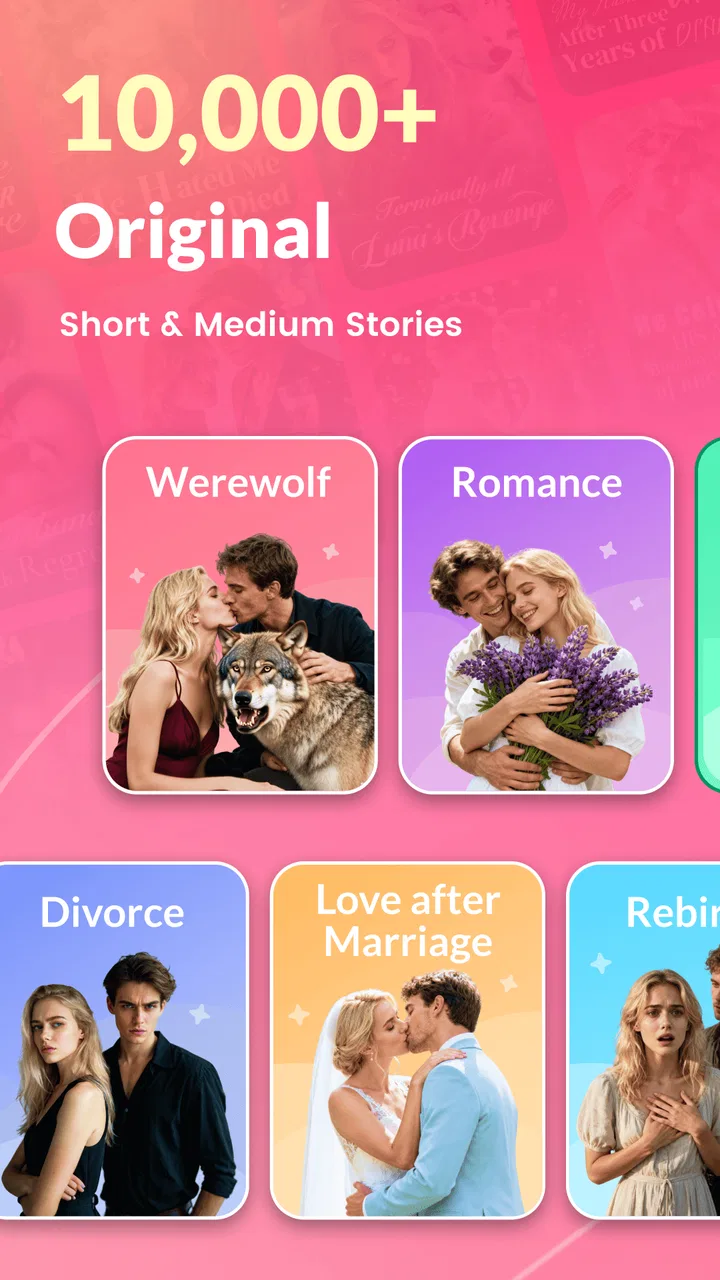
I approached Novelaria as a reading app rather than a quick way to browse a few sample chapters. Its focus is clearly on digital fiction, especially fantasy, werewolf, romance, and alpha-themed stories, with short stories included for readers who do not always have time for a full-length novel. After spending time with that kind of reading experience, my impression is simple: it is most appealing when you want an ongoing fictional escape on your phone, but it is less suitable if you are looking for a traditional ebook library, a quiet reference tool, or a completely friction-free reading service.
Novelaria is developed by Novelaria and sits in the Books & Reference category. It is free to install, carries a Mature 17+ rating, and has reached over 100 thousand installs. The app holds a 4.7 average from around 6.3 thousand ratings, which suggests that its central reading experience connects well with its target audience. That positive response makes sense if you already enjoy dramatic romance, supernatural characters, and serialized storytelling, although the same narrow focus may feel limiting to readers whose tastes are more literary or varied.
How Novelaria feels during everyday reading
I use this section to focus on the small decisions that shape a reading session: choosing a story before a short break, setting a spending boundary before a plot pulls me onward, and checking that the text feels comfortable on my own device. Those habits help me judge the app on my terms rather than letting a cliffhanger or a rushed moment make the choice for me. Next, I consider what the app’s trust context can—and cannot—tell a cautious reader.
You May Also Like

 Blood Strike: 2.5 Anniversary
Blood Strike’s Loadouts Turn Every Drop Into a Tactical Gamble
A close look at Blood Strike’s custom loadouts: how fast access to signature weapons reshapes its battle royale rhythm, rewards preparation, and narrows the gap between fights.

 Pandora - Music & Podcasts
Pandora’s Music Is Easy to Start, but Harder to Recover
Pandora’s strength is its low-effort path from a seed to a station. Its weak spot is how much confidence it asks you to place in connection, setup, and quiet recovery.

 8 Ball Pool
8 Ball Pool Is Built on Rivalries, Rematches, and Routine
A close look at the rivalries, rematches, shared routines, and unanswered safety questions that turn a quick pool match into a persistent mobile community.

 Samsung Music
Samsung Music’s Quiet Strength Is Playing What You Already Own
Its reach comes less from spectacle than from dependable access to a personal library. That simplicity is both the app’s strongest retention engine and its ceiling.

 AccuWeather: Weather Radar
AccuWeather Review: A Quick, Clear Forecast for Everyday Decisions
For everyday plans, the best forecast is the one you can understand quickly. AccuWeather makes rain timing, radar, and local conditions easy to act on, with a few trade-offs.

 Hill Climb Racing
Why Hill Climb Racing Still Turns Crashes Into One More Run
A tiny car, a bumpy hill and one more upgrade: Hill Climb Racing keeps resurfacing because its simple chaos makes every near-miss feel personal.
More From Our News Desk



Opening a story and settling into a session
The strongest use case is an unplanned reading break. I can imagine opening Novelaria while waiting for an appointment, during a commute, or at the end of the day when I want something more absorbing than social media but less demanding than a serious nonfiction book. Short stories are particularly useful here because they make the app easier to fit into scattered moments. Longer fiction, meanwhile, gives the experience a continuing thread that can bring me back later.
The app’s story themes also make the choice of what to read fairly direct. If I am in the mood for fantasy romance, werewolf drama, or alpha-centered fiction, Novelaria points me toward the sort of material I already want. That is more convenient than searching a broad ebook service where those themes are mixed with every other genre. The trade-off is that the same specialization can become repetitive if I want mystery, history, biography, essays, or practical books in the same place.
I would not judge the app solely by its title selection on the first visit. Fiction platforms often work better once a reader has identified the storytelling styles they actually enjoy. My practical advice is to try several different stories rather than committing to the first dramatic premise that catches your attention. That helps reveal whether you prefer the app’s shorter pieces or its more sustained romantic and supernatural narratives.
Speed expectations without making unrealistic promises
Novelaria’s usefulness depends heavily on how quickly I can move from opening the app to reading. A reading app does not need elaborate visual effects, but it does need to feel ready when I have only a few minutes. In my experience with this type of product, the most important performance question is not a flashy transition; it is whether the reading flow stays out of the way once a story has started.
I found the app best suited to deliberate reading rather than frantic browsing. I would open it when I already knew I wanted fiction, choose a story based on its premise, and give the text my attention. That workflow feels more natural than repeatedly jumping between many categories. If your habit is to sample dozens of books in a few minutes, the experience may feel less satisfying because the value is in following a story, not merely collecting possibilities.
There is also a practical distinction between perceived speed and reading speed. A page can appear quickly, yet the overall experience still feel slow if I spend too much time deciding what to read or if a story’s progression is interrupted. Novelaria works best when I treat it as a focused fiction reader. I would not install it expecting the breadth or instant search depth of a large general-purpose ebook marketplace.
What happens during heavier reading sessions
A short reading break is an easy test, but a longer evening session reveals more about whether an app is comfortable to keep open. Novelaria’s intended material encourages extended reading because romance and fantasy plots often depend on continuing tension. I would expect the app to be more demanding during these sessions simply because the screen stays active and the reader keeps moving through content for longer, but I would not turn that expectation into a claim about battery use or memory consumption.
My recommendation is to judge comfort over a complete personal routine: read a short story, then continue into a longer narrative, and notice whether you still enjoy the layout and pacing after the novelty has worn off. This is a more useful test than opening the app once. Readers who consume a chapter or two before bed may find the format comfortable, while people who read for many uninterrupted hours should pay closer attention to screen brightness, device warmth, and battery behavior on their own phone.
Heavy use also exposes a financial consideration. The app itself is free, but in-app purchases range from $1.99 to $129.99 per item. That does not automatically make it poor value, yet it means I would decide in advance how much I am comfortable spending. A useful habit is to treat free reading as a trial of the catalog and avoid purchasing simply because a story ends at an inconvenient moment. The right question is whether the particular story has earned that commitment, not whether I have already invested time in it.
Reliability and recovering my place
For a reading app, reliability is more than avoiding a crash. I also care about whether I can return to a story without confusion, whether the app behaves consistently after being left in the background, and whether a brief interruption ruins the session. These are the moments that matter when I read in real life: I may switch to a message, lock the screen, lose concentration, or close the app by mistake.
Novelaria feels most appropriate for readers who are comfortable building a simple routine around their reading. I would keep track of the story I am following and make a mental note of where I stopped, especially before changing devices or clearing app data. That is not an accusation of unreliability; it is sensible caution for any service where reading progress matters. If automatic recovery is your top priority, test it personally during the first few sessions instead of assuming every reading platform handles interruptions in the same way.
Another useful recovery habit is to avoid beginning a long reading session immediately before an important appointment or journey. Start with a short story or a few chapters first, then see how naturally you can leave and return. This gives you a realistic sense of whether Novelaria fits your routine without risking a frustrating interruption at the most dramatic point.
Device limits and compatibility
The current version is 2.5.2, and the app supports Android 7.0 or later. That minimum requirement makes it accessible to many older Android phones, which is helpful if you do not own a recent flagship device. Still, operating-system compatibility does not guarantee identical comfort everywhere. Screen size, available storage, battery health, and the age of the phone can all affect how pleasant a long reading session feels.
On a smaller or older device, I would pay attention to text comfort before judging the app’s catalog. A story may be exactly what I want, but reading becomes tiring if the display is dim, the battery is worn out, or the phone struggles when several apps are open. Closing unused apps and lowering brightness to a comfortable level can make a bigger difference than chasing theoretical performance improvements.
Novelaria is also not the obvious choice for someone who wants one app to cover every kind of reading. A general ebook service is usually better for readers who move between novels, manuals, public-domain works, and reference material. A dedicated reading app may be better for someone who values extensive typography controls or a very specific offline workflow. Novelaria’s advantage is its concentrated fiction identity, not universal coverage.
Who will enjoy it most
I would recommend Novelaria first to readers who already know they like emotionally intense fiction, supernatural romance, and serialized stories. It is especially suitable for people who read in small bursts and want a phone-based library that leans toward escapism. The combination of novels and short stories gives both quick and sustained reading options, so the app can fit different levels of available time.
It may also suit a reader who discovers books through social trends and prefers a focused stream of contemporary romance and fantasy ideas rather than browsing a traditional bookstore. The app’s Mature 17+ rating is important here: I would not treat it as a family reading app or hand it to a younger reader simply because the installation is free. Adults should still choose stories according to their own comfort with mature themes.
I would skip it if my main goal were academic research, news, technical manuals, or a broad collection of established classics. I would also hesitate if I dislike cliffhangers, ongoing romantic tension, or supernatural relationship drama. A high rating can indicate that the target audience is happy, but it does not make a specialized catalog universal. Novelaria is a better match for a particular mood than for every reading need.
A realistic daily scenario
Imagine finishing work with twenty minutes before dinner. I would open Novelaria, continue a romance or fantasy story, and read until I needed to move on. Later, I might return for a short story when I wanted a complete, lighter session. That pattern makes more sense to me than trying to use the app as a replacement for every book on my shelf. It gives the phone a clear role: convenient fiction for pauses, evenings, and moments when I want immediate emotional momentum.
If I were using it on a commute, I would prepare my reading choice before leaving rather than relying on a rushed search while moving between connections. I would also avoid assuming that every part of the experience will be equally convenient without a network connection. The safest approach is to check how the specific story behaves in your own routine and keep another reading option available for travel or weak-signal situations.
Value, purchases, and reading discipline
The free entry point is a genuine advantage because it lets me decide whether the writing style and story themes suit me before spending anything. At the same time, the wide purchase range means the app rewards self-control. I would set a personal monthly limit, read the free material carefully, and only pay when I am confident that continuing a story matters to me.
This is also where Novelaria differs from a traditional purchased ebook. With a normal standalone book, I generally know the price before I begin and can keep the title as a distinct item. A fiction platform can feel more flexible, but the cost may become less predictable when reading is divided into ongoing access or individual purchases. Readers who value clear one-time ownership may prefer conventional ebook stores. Readers who enjoy discovering serialized fiction may find Novelaria’s model more natural.
The developer, Novelaria, has positioned the app around a recognizable set of genres rather than around a broad reference collection. That focus is useful because it reduces the effort of finding a certain kind of story. It also means I would not expect the same editorial range as a general bookstore. The right value judgment depends on how often I actually read those genres, not on the size of the overall app category.
My performance verdict after weighing the trade-offs
Novelaria succeeds when I use it for what it is: a specialized mobile fiction reader for adults who enjoy fantasy, werewolf, romance, and alpha-driven stories. Its 4.7 average and over 100 thousand installs show that it has found a substantial audience, while the current version indicates that it remains an actively presented app rather than an abandoned experiment. Those figures are encouraging, but my recommendation still depends more on genre fit than popularity.
From a performance perspective, I would describe it as a focused reading companion rather than a demanding multimedia app. The important tests are whether it opens comfortably on your Android device, keeps your reading session pleasant, and lets you return to stories without unnecessary friction. Because phones and reading habits vary so much, I would begin with a short session before making Novelaria part of a daily routine.
My honest recommendation is to try it if you want convenient, mature fantasy and romance fiction, but keep your expectations specific. The free installation lowers the risk of exploring it, and the mix of novels and short stories is useful for different schedules. However, readers who want a broad reference library, predictable one-time ebook prices, or a completely general reading platform will probably be happier with a conventional ebook service. For the right reader, Novelaria can turn a spare part of the day into an engaging story; for everyone else, its narrow focus will be the first limitation they notice.
Overall, I would keep Novelaria installed for mood-based fiction rather than make it my only reading app. It is strongest when I already know I want dramatic romance or supernatural storytelling and need something easy to pick up on a phone. Used with a little attention to spending, device comfort, and personal reading preferences, it offers a convincing way to discover and follow stories without pretending to replace the entire world of books.
FAQs for Novelaria - Read Book, Booktok
01What is Novelaria - Read Book, Booktok, and what can I do with it?
Novelaria - Read Book, Booktok is a reading-focused app designed for discovering and enjoying digital stories while connecting with a community of readers. You can browse available novels, explore recommendations, follow popular titles, and use BookTok-style discussions to find books that match your interests. The exact catalog, reading tools, and community features may vary depending on your region and the app version.
02Is Novelaria - Read Book, Booktok free to download and use?
The app may be available to download for free, but some books, chapters, features, or reading benefits can require in-app purchases or a subscription. Before starting a title, check whether it is fully free or uses locked chapters, coins, credits, advertisements, or premium access. Pricing and available payment options can differ by country, so reviewing the store listing and purchase screen is recommended.
03Do I need an account to read books on Novelaria?
An account may not be necessary for every basic function, but registering can be important if you want to save your reading progress, create a library, follow authors or titles, interact with the community, or use the app across multiple devices. Sign-in options and account requirements can change after updates. Read the privacy information carefully and use a secure email or supported login method.
04Can I read Novelaria books offline or without an internet connection?
Offline reading depends on the specific title and the features enabled in the current version of Novelaria. Some apps allow chapters to be downloaded temporarily after opening them online, while others require an active connection for loading content, advertisements, synchronization, or access checks. If offline access matters to you, test the download option with a book before traveling or relying on the app without mobile data.
05Is the content on Novelaria suitable for children and all readers?
Not necessarily. A community-based digital reading platform can include stories aimed at different age groups and may contain romance, mature themes, violence, strong language, or other sensitive topics. Check each book’s description, tags, ratings, and age guidance before reading or allowing a child to use the app. Parents should also review account, privacy, chat, and community settings where available.
Pros
- Large selection of romance
- fantasy
- and BookTok-inspired stories.
- Personalized recommendations make it easier to discover new novels.
- Reading progress syncs conveniently across supported devices.
- Interactive comments help readers share reactions with the community.
- Useful library tools let you save books for later reading.
Cons
- Some stories may require coins
- subscriptions
- or in-app purchases.
- Content quality can vary widely between different authors.
- The app may feel overwhelming for users who prefer a simple reader.
- New chapters may depend on irregular author update schedules.
- Ads or promotional prompts can interrupt the reading experience.

Novelaria - Read Book, Booktok
Gallery